Choosing the right case fans can lower component temperatures, reduce noise, and improve airflow without turning a gaming PC into a complicated project. The best computer cooling fans for gaming PCs balance static pressure, airflow, acoustics, control options, and value.
We selected 10 120mm options spanning quiet everyday fans, high-airflow multipacks, and customizable ARGB designs. Use the guide below to match fan performance and features to your case, components, and build priorities.
Best 10 Computer Cooling Fans for Gaming PCs Picks for 2026
Quiet Performance Pick

- 1700 RPM pressure-optimized airflow
- Quiet 25.1 dB(A) maximum rating
- 4-pin PWM with six-year warranty
Best For: Quiet gaming PCs and radiator cooling
RGB Multi-Fan Value

- Three 120mm PWM ARGB fans
- 2000 RPM and 68.9 CFM airflow
- Daisy-chain wiring and infinity lighting
Best For: RGB builds needing three case fans
Infinity-Mirror RGB Choice

- Three-fan ARGB setup with 24 LEDs each
- 1800 RPM and 61.5 CFM airflow
- HDB bearing with 50,000-hour lifespan
Best For: Showcase PCs with motherboard-synced lighting
Low-Noise Airflow Pick

- 1600 RPM and 49.9 CFM airflow
- Low minimum RPM for quiet operation
- Radiator-optimized frame and rifle bearing
Best For: Quiet case or radiator fan upgrades
RGB Airflow Value

- Three 120mm PWM ARGB fans
- Up to 2000RPM and 68.9CFM
- Daisy-chain PWM and ARGB wiring
Best For: RGB gaming PC builds needing flexible airflow
Radiator-Ready Performance
CORSAIR RS120 ARGB Triple Pack
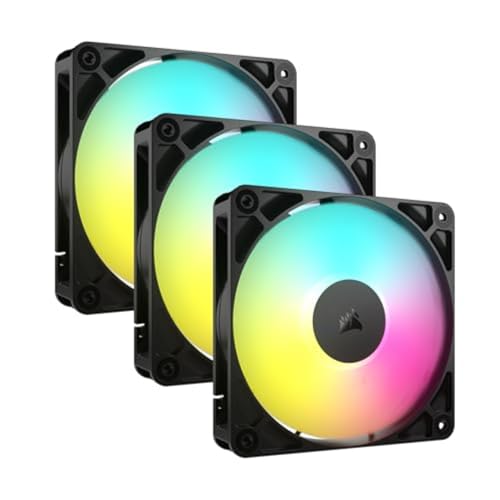
- Up to 2100RPM and 72.8CFM
- 2.8mm-H2O static pressure
- Daisy-chain PWM and 5V ARGB control
Best For: Radiator-equipped gaming PCs
Mirror-Style RGB Cooling

- Three 120mm ARGB fans
- Infinity mirror center and side effects
- 800–1600RPM PWM-adjustable range
Best For: Visually focused, quieter gaming PC builds
Best Five-Fan ARGB Value

- Five 120mm PWM fans
- 66.17 CFM airflow at up to 1550 RPM
- ARGB lighting with motherboard synchronization
Best For: Expanding case or CPU-cooler airflow
Best Mixed-Blade Airflow Kit

- Four forward and three reverse fans
- PWM operation up to 1550 RPM
- 28 LEDs with infinity-mirror lighting
Best For: Full-case airflow layouts
Best Compact Three-Fan Upgrade
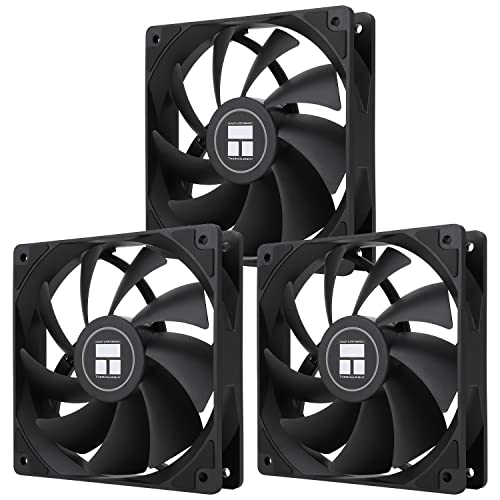
- Three 120mm PWM fans
- 66.17 CFM airflow at up to 1550 RPM
- S-FDB bearings with ARGB lighting
Best For: Targeted case airflow upgrades
Quiet Performance Pick – Noctua NF-P12 redux-1700 PWM
For shoppers comparing computer cooling fans for gaming pcs, the Noctua NF-P12 redux-1700 PWM is a strong choice when dependable airflow and restrained noise matter. Its pressure-optimized design suits CPU coolers, radiators, and case ventilation, while 4-pin PWM control lets a compatible motherboard adjust speed automatically.
Best For: Quiet gaming PCs, CPU coolers, radiators, and general chassis ventilation.
Pros:
- Up to 1700 RPM with 120.2 m³/h airflow
- Pressure-optimized design supports radiators and heatsinks
- Low maximum noise rating of 25.1 dB(A)
- Backed by a six-year manufacturer warranty
Cons:
- Single-fan package may cost more than buying a multi-pack
- No integrated RGB lighting
This is a practical performance-first fan for builders who want strong cooling without making lighting a priority. Its PWM support and long stated MTTF make it especially suitable for a set-and-forget gaming system.
RGB Multi-Fan Value – Thermalright TL-M12Q X3
The Thermalright TL-M12Q X3 gives RGB-focused builders three computer cooling fans for gaming pcs in one package. Each 120mm fan combines PWM speed control with 5V ARGB lighting, while daisy-chain wiring can simplify installation in a glass-panel desktop.
Best For: RGB gaming builds needing three synchronized intake, exhaust, or radiator fans.
Pros:
- Three-fan pack helps equip a complete case
- Up to 2000 RPM, 68.9 CFM airflow, and 2.21 mmH₂O pressure
- Infinity-mirror ARGB lighting on both sides
- Supports compatible motherboard PWM and 5V ARGB headers
Cons:
- Requires compatible 5V ARGB and 4-pin PWM connections
- 28.2 dB noise rating is higher than the quietest options here
Choose this kit when coordinated lighting and broad airflow coverage are as important as cooling output. It offers a straightforward way to add three controllable fans without buying each one separately.
Infinity-Mirror RGB Choice – AsiaHorse AMICI-5GT RGB Fans
The AsiaHorse AMICI-5GT targets builders who want striking lighting alongside capable case airflow. These computer cooling fans for gaming pcs use HDB bearings, reach 1800 RPM, and provide 61.5 CFM airflow, with wired daisy-chain support for compatible 5V ARGB and PWM connections.
Best For: Visually focused gaming PCs using Aura Sync, RGB Fusion, Mystic Light Sync, or similar systems.
Pros:
- Three fans with infinity-mirror ARGB and 24 LEDs per fan
- Up to 1800 RPM, 61.5 CFM airflow, and 2.0 mmH₂O pressure
- HDB bearing design with a stated 50,000-hour lifespan
- Rubber pads and balancing features help limit vibration
Cons:
- Daisy chaining is cable-based, not wireless
- Recommended series connections should not exceed three
- Requires compatible 5V 3-pin ARGB and 4-pin PWM connections
This is a good match for a showcase PC where lighting design is central to the build. Confirm your motherboard headers and plan cable routing carefully, since the lighting and fan connections are wired.
Low-Noise Airflow Pick – be quiet! Pure Wings 3 120mm
The be quiet! Pure Wings 3 is designed for builders who want practical airflow with low operating noise. Its 4-pin PWM connector supports motherboard speed control, and the optimized frame and seven-blade design are intended for demanding case or radiator configurations.
Best For: Quiet desktop gaming systems and radiator-focused cooling without RGB lighting.
Pros:
- 1600 RPM maximum speed with 49.9 CFM airflow
- Low minimum RPM supports quiet operation
- Optimized frame is designed for radiator performance
- 80,000-hour rifle-bearing operating life
Cons:
- Single-fan package provides less coverage than the three-packs
- No ARGB lighting
- Two-year manufacturer warranty is shorter than the Noctua option
Pure Wings 3 is a sensible choice for a restrained gaming build where acoustics and reliable PWM control take priority over decorative features. It is particularly useful when adding a single case or radiator fan to an existing system.
RGB Airflow Value – Thermalright TL-M12Q-S X3
The Thermalright TL-M12Q-S X3 is a practical three-pack for gaming PC builders who want computer cooling fans for gaming PCs with strong airflow and coordinated lighting. Its 120mm PWM fans reach up to 2000RPM, while daisy-chain connections help reduce cable clutter.
Best For: RGB-focused desktop builds needing three versatile intake, exhaust, or radiator fans.
Pros:
- Three 120mm fans provide up to 68.9CFM airflow and 2.21mmH2O air pressure.
- Daisy-chain PWM and ARGB connections simplify multi-fan wiring.
- Infinity mirror lighting and illuminated blades create a fuller look in glass-panel cases.
Cons:
- Lighting control requires compatible 5V ARGB motherboard support.
- The visual design may be more than needed for non-RGB builds.
With high speed, useful airflow, and flexible mounting roles, this three-pack is a well-rounded option when both cooling performance and visible RGB effects matter.
Radiator-Ready Performance – CORSAIR RS120 ARGB Triple Pack
The CORSAIR RS120 ARGB triple pack suits builders seeking computer cooling fans for gaming PCs that can handle cases, radiators, or heatsinks. It combines speeds up to 2100RPM, 72.8CFM airflow, and 2.8mm-H2O static pressure with daisy-chain control.
Best For: Gaming systems using radiators or heatsinks and compatible motherboard ARGB control.
Pros:
- High static pressure helps push air through radiator or heatsink obstructions.
- Provides up to 72.8CFM airflow at speeds up to 2100RPM.
- Daisy-chain design uses one 4-pin PWM and one 5V ARGB connection for multiple fans.
- AirGuide vanes direct airflow toward hot components.
Cons:
- Rated noise level reaches 36dB.
- ARGB lighting requires a compatible motherboard.
The RS120 stands out when concentrated airflow is important, making it especially suitable for radiator installations while retaining customizable motherboard-controlled lighting.
Mirror-Style RGB Cooling – DARKROCK Black F120 3in1
The DARKROCK Black F120 3in1 offers a visually focused approach to computer cooling fans for gaming PCs. These 120mm fans combine blade and frame ARGB lighting with an infinity mirror design, PWM speed adjustment, and hydraulic-bearing operation.
Best For: Gaming builds prioritizing layered infinity-mirror lighting and quieter everyday operation.
Pros:
- Infinity mirror effects extend across the fan center and sides.
- PWM control adjusts fan speed from 800 to 1600RPM.
- Hydraulic bearings and eight rubber pads support low-noise, stable operation.
- 120mm sizing fits most PC chassis, air coolers, and water-cooling systems.
Cons:
- Maximum airflow is 46.7CFM, lower than the other listed options.
- Its 3-pin power connector may offer less straightforward control than 4-pin PWM designs.
This pack is a strong choice for an attractive gaming build where lighting presentation and broad 120mm compatibility matter more than maximum airflow output.
Best Five-Fan ARGB Value – Thermalright TL-C12C-S 5-Pack
For builders who need several computer cooling fans for gaming PCs, this Thermalright five-pack offers 120mm PWM fans with motherboard-controlled speed, ARGB lighting, and airflow rated at 66.17 CFM. The 1550 RPM ceiling and S-FDB bearings make it a practical choice for expanding case or CPU-cooler airflow without prioritizing maximum speed.
Best For: Gaming PC builds needing five synchronized 120mm fans for case, radiator, or CPU-cooler cooling.
Pros:
- Five 120mm fans provide broad installation flexibility.
- 4-pin PWM control adjusts fan speed according to system temperature.
- 66.17 CFM airflow, S-FDB bearings, and rated noise up to 25.6 dBA.
- ARGB blades support up to 17 lighting modes and motherboard synchronization.
Cons:
- The 1550 RPM maximum is not the highest available for performance-focused cooling.
- ARGB synchronization depends on a compatible motherboard connection.
This is a well-rounded multi-fan kit for a new build or airflow refresh. Its five-fan quantity, PWM control, and moderate noise rating make it especially useful when consistent cooling and coordinated lighting matter more than extreme radiator performance.
Best Mixed-Blade Airflow Kit – 7-Pack ARGB PC Fans
This seven-pack is designed for builders who want extensive computer cooling fans for gaming PCs, with four forward-blade fans and three reverse-blade fans. The 120mm PWM units run up to 1550 RPM and combine airflow-focused placement flexibility with 28 ARGB LEDs and infinity-mirror lighting.
Best For: Gaming PC builders planning a full case fan layout with both forward and reverse airflow options.
Pros:
- Seven fans provide enough coverage for larger or heavily ventilated cases.
- Four forward and three reverse fans support flexible airflow arrangement.
- 4-pin PWM control and a 1550 RPM maximum balance adjustable cooling with speed.
- 28 ARGB LEDs add bright infinity-mirror lighting.
Cons:
- The supplied notes do not specify airflow or static-pressure figures.
- Installing seven fans requires sufficient case space and compatible headers or fan-hub hardware.
Choose this kit when quantity and layout flexibility are the priorities. Its forward-and-reverse combination can simplify a complete case setup, while PWM control lets the system regulate fan speed during gaming and other demanding workloads.
Best Compact Three-Fan Upgrade – Thermalright TL-C12C 3-Pack
For a smaller installation, this Thermalright three-pack supplies 120mm computer cooling fans for gaming PCs with 4-pin PWM control, 66.17 CFM airflow, and a 1550 RPM maximum. The S-FDB bearings and ARGB blades add a quieter, coordinated approach to case or CPU-cooler airflow.
Best For: Gaming PC owners who need a three-fan replacement or a straightforward front-and-rear case airflow upgrade.
Pros:
- Three 120mm fans suit common case upgrade layouts.
- 4-pin PWM lets the motherboard adjust speed based on temperature.
- Rated airflow reaches 66.17 CFM with noise up to 25.6 dBA.
- S-FDB bearings and ARGB lighting support quieter operation and coordinated aesthetics.
Cons:
- Three fans offer less installation coverage than the five- and seven-fan kits.
- ARGB synchronization requires a compatible motherboard connection.
This pack is a sensible middle ground for replacing stock fans or adding targeted intake and exhaust. It delivers the same stated airflow and speed class as the larger kit while keeping the purchase focused on a three-fan setup.
How We Picked These Computer Cooling Fans for Gaming PCs
We focused on widely compatible 120mm case fans with PWM speed control, practical airflow specifications, and designs suited to modern gaming desktops. The lineup includes single fans and multipacks, so shoppers can upgrade one noisy position or outfit an entire case. We also considered bearing style, rated speed, noise-focused construction, lighting controls, cable management, and overall value.
Specifications such as maximum RPM and CFM are useful for comparison, but they do not tell the whole story. Actual results depend on case layout, dust filters, radiator restrictions, fan curves, and whether the fan is used for intake, exhaust, or cooling a heatsink or radiator.
Quick Comparison
| Best For | What to Look For | Recommended Type |
|---|---|---|
| Quiet gaming PCs | Lower noise ratings, PWM control, smooth bearings | Noise-optimized 120mm fan |
| Full-case upgrades | Three-, five-, or seven-fan bundles | Value multipack |
| High heat output | Higher airflow and useful static pressure | High-speed PWM fan |
| RGB-focused builds | ARGB compatibility and included lighting hardware | ARGB or reverse-blade set |
| Clean cable management | Daisy-chain support and accessible connectors | Linked fan system |
Key Buying Factors for Computer Cooling Fans for Gaming PCs
Size and Compatibility
Confirm that your case supports 120mm fans in the locations you plan to use. Check radiator clearance, front-panel brackets, motherboard headers, and the number of available mounting points before ordering. A three-pack is only a bargain if your case can use all three fans.
Airflow, Static Pressure, and Fan Speed
Airflow helps move heat out of an open case, while static pressure matters more when air must pass through a dust filter, radiator, or restrictive front panel. Higher RPM can improve cooling but generally increases noise. PWM models let your motherboard adjust speed based on temperature, making them more practical than fans that run at one fixed speed.
Noise and Bearing Design
Look beyond maximum RPM when building a quiet system. Bearing quality, blade shape, vibration control, and the minimum controllable speed all affect the sound profile. A fan with a wide speed range can remain quiet during light work and ramp up during gaming.
RGB and Installation
Standard ARGB usually uses a 5V three-pin connector, while older RGB systems commonly use 12V four-pin connections; they are not interchangeable. Check motherboard headers and included hubs. Reverse-blade fans can improve the visible side of an intake while preserving a cleaner presentation.
Who Should Buy Which Computer Cooling Fans for Gaming PCs?
Choose a quiet PWM model if your priority is low noise for everyday gaming. Pick a high-airflow multipack for a warm system or a case that needs several replacement fans. ARGB bundles suit builders coordinating lighting across the motherboard, while daisy-chain models are especially helpful when header access and cable management are limited. For a radiator or dense dust-filtered intake, prioritize a model with strong static-pressure performance rather than choosing only by its lighting or maximum CFM.
Finally, plan airflow direction before installation: front and bottom fans commonly work as intake, while rear and top fans commonly exhaust. Keep a balanced layout, use the motherboard’s fan-control software to create a sensible curve, and clean filters regularly. Those steps often improve real-world cooling as much as switching between similarly rated fans.