The best KVM extenders for home offices let you place a computer away from your desk while keeping its display, keyboard, and mouse accessible. That can reduce noise, improve cable management, and make a compact workspace more comfortable.
This roundup includes remote-access KVMs and wired HDMI-over-Cat extenders, with options for 4K video, long-distance runs, USB control, and simpler 1080p installations.
Best 10 Kvm Extenders for Home Offices Picks for 2026
Best Remote-Access Pick
GL.iNet Comet GL-RM1 Remote KVM

- BIOS-level control without host software
- 4K video at 30Hz with low latency
- Remote access, audio, and file transfer
Best For: Managing home-office computers from anywhere
Best Long-Run Value
4K60 HDMI KVM Extender Over Cat6/Cat7
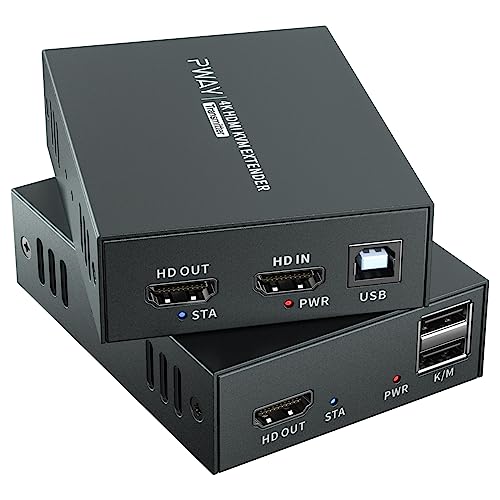
- Extends 4K60 HDMI and USB up to 196 feet
- Supports keyboard and mouse control
- HDMI loop-out and single-power POC design
Best For: Separating a home-office computer from its display
Best High-Refresh Choice
AV Access 4K60 HDMI KVM Extender

- 4K60 4:4:4 with high-refresh support
- Four remote USB device ports
- 50-meter extension with PoC power
Best For: Gaming and demanding home-office workstations
Best Professional-Distance Option

- Extends HDMI and KVM up to 400 feet
- Supports 4K60 4:4:4 and HDR formats
- Includes two-way IR and USB KVM
Best For: Long cable runs in larger home-office installations
Long-Range VGA Pick
TESmart 984ft USB VGA KVM Extender

- VGA support up to 1920×1200 at 60Hz
- Extends USB control up to 984 feet
- Includes ESD protection and lifetime technical support
Best For: Very long-distance VGA home-office connections
4K Compact Choice
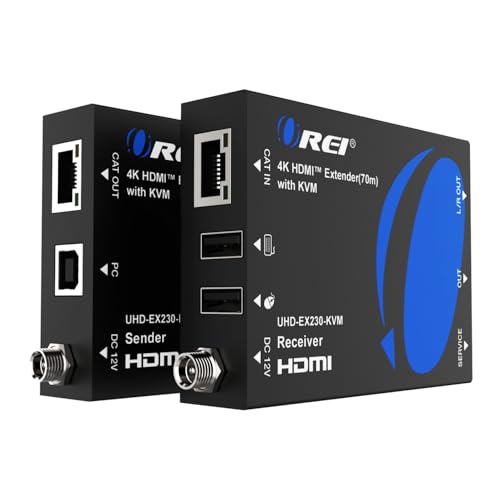
- Transmits 4K video at 60Hz up to 230 feet
- Supports HDR and HDCP 2.2
- Adds USB KVM, HDMI loop-out, and audio extraction
Best For: 4K workstations with remote control and audio needs
Network-Friendly Workstation Pick
AV Access 4K HDMI USB KVM Extender

- Extends HDMI and USB up to 492 feet
- Works over existing IP networks
- Adds three receiver-side USB 2.0 ports
Best For: Scalable network-based home-office workstations
Long-Range Home Office Control

- 1080p at 60Hz up to 120 meters
- HDMI loop-out and reset button
- USB 1.1 keyboard-and-mouse support
Best For: Long cable runs with basic KVM control
Reliable Office Setup
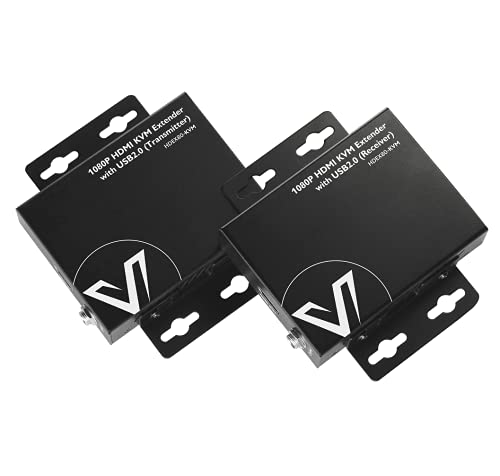
- 1080p at 60Hz up to 80 meters
- Two USB 2.0 ports
- Two-way PoE needs one power supply
Best For: Remote PCs and NVRs needing flexible USB control
Compact Room-to-Room Choice

- 1080p at 60Hz up to 164 feet
- Two USB 2.0 ports and HDMI loop-out
- Plug-and-play support for Windows, macOS, and Linux
Best For: Shorter home-office and media-room connections
Best Remote-Access Pick – GL.iNet Comet GL-RM1 Remote KVM
For home offices that need access from anywhere, the GL.iNet Comet GL-RM1 is a hardware-based option among kvm extenders for home offices. It provides remote desktop and BIOS-level control without requiring software on the computer being managed, making it useful for troubleshooting, maintenance, and remote work.
Best For: Remote access to a computer, server, or other compatible device when BIOS control and internet access are priorities.
Pros:
- Supports BIOS-level control, remote rebooting, operating-system installation, and power-on functions.
- Provides 3840×2160 video at 30Hz with low-latency remote access and audio output.
- Includes file transfer, H.264 hardware encoding, and one-click app setup without host software.
Cons:
- 4K operation is limited to 30Hz rather than 60Hz.
- The supplied notes specify that PD adapters cannot be used.
- It is designed for remote internet-based control rather than a simple direct room-to-room extension.
The GL-RM1 stands out when remote management matters more than high-refresh video. Its compact design, Tailscale support, and hostless BIOS access make it a practical choice for home-office users managing systems from another location.
Best Long-Run Value – 4K60 HDMI KVM Extender Over Cat6/Cat7
This HDMI KVM extender is suited to home offices where the computer and display need to be separated by up to 196 feet. It sends 4K video, audio, keyboard, and mouse control over a single Cat6 or Cat7 cable, while an HDMI loop-out keeps a local monitor available.
Best For: Extending a computer or compatible source to a distant desk, monitor, or control area while retaining local viewing.
Pros:
- Extends HDMI and USB KVM control up to 196 feet/60 meters over Cat6 or Cat7.
- Supports 4K at 60Hz along with common 1080p formats and audio pass-through.
- HDMI loop-out, EDID, metal housing, and POC single-power design simplify installation.
Cons:
- Requires a suitable Ethernet cable run between transmitter and receiver.
- USB control is centered on keyboard and mouse operation rather than broad USB expansion.
- The supplied notes do not specify remote internet access or BIOS-level management.
For a traditional point-to-point setup, this model offers a useful balance of distance, 4K60 support, and cable simplicity. The loop-out is especially helpful when the source also needs to be monitored locally.
Best High-Refresh Choice – AV Access 4K60 HDMI KVM Extender
The AV Access 4KEX50-KVM-1 is a strong fit for home offices that also support gaming, cameras, or conferencing equipment. It extends control up to 50 meters while combining 4K60 video with high-refresh support and four downstream USB ports at the remote side.
Best For: High-refresh gaming, video-heavy workstations, conferencing setups, and home offices needing several remote USB devices.
Pros:
- Supports 4K60 4:4:4, 1080p at 240Hz, and 2K at 144Hz.
- Provides four USB device ports for peripherals such as a keyboard, mouse, drive, camera, or conferencing device.
- Offers 50-meter extension, PoC single-power operation, EDID management, and audio de-embedding.
Cons:
- The maximum stated extension distance is 50 meters/164 feet.
- Some advanced audio connections use a Phoenix connector rather than a standard desktop audio jack.
- USB power output is limited to two ports rated up to 1A.
This is one of the more capable choices for a performance-focused home office. Its combination of high refresh rates, 4K chroma support, and USB expansion makes it more versatile than a basic keyboard-and-mouse extender.
Best Professional-Distance Option – OREI 4K HDBaseT KVM Extender
The OREI UHD-EXB400-KVM is built for situations where a home office needs a much longer cable run than typical Ethernet-based extenders provide. Its HDBaseT design supports up to 400 feet and combines high-bandwidth HDMI features with USB KVM functionality.
Best For: Large home offices, studios, gaming areas, or installations requiring a long-distance 4K display and KVM connection.
Pros:
- Supports an HDBaseT run of up to 400 feet.
- Handles HDMI 2.0b, 18Gbps bandwidth, 4K60 4:4:4, HDR formats, and HDCP 2.2.
- Includes USB 1.1 KVM support, LPCM 7.1-channel audio, and two-way IR.
Cons:
- The supplied details do not specify the exact required cable category or installation method.
- USB KVM is listed as USB 1.1, which is less suitable for high-speed peripherals.
- The notes identify a single port and do not describe expanded remote USB connectivity.
The OREI is the distance-oriented option in this group. It makes the most sense when a 400-foot reach and broad HDMI format support outweigh the need for modern high-speed USB expansion.
Long-Range VGA Pick – TESmart 984ft USB VGA KVM Extender
For home offices that need to place a computer away from the desk, this TESmart model is a practical choice among kvm extenders for home offices. It sends VGA video and USB keyboard-and-mouse data over one Cat5e or Cat6 cable for distances up to 984 feet.
Best For: Remote control of a VGA-equipped computer over very long cable runs.
Pros:
- Supports resolutions up to 1920×1200 at 60Hz.
- Reaches up to 984 feet over a single Cat5e/Cat6 cable.
- Includes 8KV ESD protection and smart gain control.
- Backed by a one-year hardware warranty and lifetime technical support.
Cons:
- Uses VGA rather than HDMI.
- Requires a properly wired EIA/TIA 568B network cable.
This is best suited to a home office built around an older VGA computer or display. Its long transmission range is impressive, but newer HDMI-based setups may be better served by a more modern extender.
4K Compact Choice – OREI 4K HDMI KVM Extender
This OREI extender is a strong fit for kvm extenders for home offices where 4K video quality matters. It sends HDMI video over Cat6 or Cat7 cable for up to 230 feet and adds remote keyboard-and-mouse control, local HDMI loop-out, and receiver-side audio extraction.
Best For: 4K home-office workstations needing remote USB control and flexible audio connections.
Pros:
- Supports 4K at 60Hz over distances up to 230 feet.
- Compatible with HDR formats, Dolby Vision, and HDCP 2.2.
- Provides USB KVM control, HDMI loop-out, and 3.5mm audio output.
- Compact plug-and-play design includes a one-year warranty.
Cons:
- Its stated range is shorter than some long-distance alternatives.
- Uses a US Type A power plug, with an adapter included for international use.
For a home office that prioritizes crisp 4K output without giving up remote keyboard and mouse access, this OREI model offers a well-rounded feature set. Its 230-foot limit is most appropriate for rooms, adjacent spaces, or smaller installations.
Network-Friendly Workstation Pick – AV Access 4K HDMI USB KVM Extender
For flexible kvm extenders for home offices, the AV Access 4KIP100-KVM can use existing Ethernet infrastructure to carry HDMI, audio, USB, and control signals. It reaches up to 390 feet over Cat5e or up to 492 feet over Cat6, Cat6A, or Cat7 cable, while supporting multiple extender sets on the same network.
Best For: Home offices that need long-distance connectivity, extra USB peripherals, or a scalable network-based setup.
Pros:
- Extends 4K at 30Hz and 1080p at 120Hz over Ethernet.
- Supports up to 390 feet over Cat5e and 492 feet over Cat6/6A/7.
- Receiver provides three USB 2.0 ports for peripherals.
- Works with Windows, macOS, and Linux without drivers.
Cons:
- 4K operation is limited to 30Hz.
- Network-based deployment may require more setup than a direct point-to-point connection.
- A Gigabit network switch is recommended for stable high-bandwidth transmission.
This is the most adaptable option for a home office that may grow or share infrastructure with other systems. Its multiple USB ports and IP-network support are useful, though users wanting 4K at 60Hz should consider a different model.
Long-Range Home Office Control – 120M HDMI KVM Extender
For home offices that need a computer or media source positioned far from the desk, this KVM extender sends 1080p video and basic keyboard-and-mouse control up to 394 feet over a Cat5e/6/7 cable. Its loop-out connection also lets you monitor the remote display locally.
Best For: Long cable runs to a home office, classroom, conference room, or home theater where standard keyboard and mouse control is sufficient.
Pros:
- Supports 1080p video at 60Hz over distances up to 120 meters.
- Includes HDMI loop-out for monitoring the remote display.
- Works with Windows, Mac, and Linux systems without software installation.
- Provides a reset button and status indicators for easier troubleshooting.
Cons:
- USB support is limited to USB 1.1 and standard keyboards and mice.
- Both transmitter and receiver require power; single-side powering is not supported.
- The Ethernet cable must be wired to the IEEE-568B standard.
This is a practical choice among kvm extenders for home offices when maximum reach matters more than high-speed USB support. Confirm the cabling standard and power availability at both ends before installation.
Reliable Office Setup – 80M HDMI KVM Extender
This AV Access model is a well-rounded option for kvm extenders for home offices, carrying 1080p video and USB signals up to 260 feet over one Cat5e/6/6a/7 cable. Its USB 2.0 ports and two-way PoE simplify remote keyboard-and-mouse control.
Best For: Home offices, NVR setups, or remote PCs that need faster USB 2.0 connectivity and a flexible power arrangement.
Pros:
- Extends 1080p video at 60Hz up to 80 meters.
- Provides two USB 2.0 ports with speeds up to 480Mbps.
- Two-way PoE allows one power supply at either end.
- Metal housing helps with durability, heat dissipation, and interference reduction.
Cons:
- Its 80-meter range is shorter than the longest-range option in this roundup.
- The manufacturer recommends installing the power adapter at the receiver side.
- It is designed for 1080p rather than higher-resolution displays.
With USB 2.0, broad operating-system compatibility, and one-adapter power flexibility, this is a strong all-purpose pick for a home office where reliability and easier installation are priorities.
Compact Room-to-Room Choice – 50M HDMI KVM Extender
Designed for shorter room-to-room connections, this HDMI KVM extender sends 1080p video, keyboard, and mouse signals up to 164 feet over Cat5e/6/7 cable. It adds two USB 2.0 ports, HDMI loop-out, and a plug-and-play setup for home offices, gaming spaces, and media rooms.
Best For: Home offices or entertainment setups within roughly 50 meters that need remote USB control and Full HD video.
Pros:
- Supports 1080p at 60Hz and 3D video with claimed zero-latency transmission.
- Includes two USB 2.0 ports for remote keyboard, mouse, or compatible peripherals.
- Supports Windows, macOS, and Linux systems.
- Plug-and-play design includes a 6.6-foot USB cable and HDMI loop-out.
Cons:
- Its 164-foot range is shorter than the other two extenders here.
- Longer runs may require transmitter power or dual power for reliable signal integrity.
- Wired or 2.4GHz keyboards and mice are recommended over 5.8GHz wireless models.
This model makes sense when your home office connection is moderate in length and you value USB 2.0 support and simple installation. Pay close attention to the recommended power arrangement as the cable length approaches the maximum.
How We Picked the Best Kvm Extenders for Home Offices
We selected models based on the features that matter most in a home-office installation: supported resolution and refresh rate, maximum transmission distance, keyboard and mouse compatibility, connection method, setup complexity, and useful extras such as loop-out ports, EDID management, IR control, Power over Cable (PoC), BIOS access, and secure remote networking.
The list covers two main categories. Wired HDMI KVM extenders send video and USB signals over Cat5e, Cat6, or Cat7 cable. Remote KVM devices provide access over a network, which can be more flexible when the computer is in another room or location. Always verify that the product’s stated range matches your cable quality and network layout.
Quick Comparison
| What You Need | Best-Fit Specification |
|---|---|
| Modern productivity display | 4K at 60Hz with 4:4:4 color |
| Gaming or high-refresh monitor | 1080p at 240Hz or 1440p at 144Hz support |
| Long cable run | 300-foot or greater rated distance |
| Simple single-cable installation | PoC transmitter and receiver |
| Remote or unattended computer access | Network-based KVM with BIOS control |
| Legacy computer or monitor | VGA support and 1080p compatibility |
Key Buying Factors for Kvm Extenders for Home Offices
Resolution, Refresh Rate, and Compatibility
Choose an extender that supports your actual monitor, not merely your computer’s maximum output. For office work, 4K at 60Hz provides sharp text and smooth cursor movement. Check for HDMI version, HDCP support, chroma format, and EDID handling if you use docks, adapters, ultrawide displays, or multiple monitors.
Distance and Cabling
Measure the complete cable path, including wall plates and patch panels. Cat6 or Cat6a is generally a safer choice for higher-bandwidth 4K signals, while some long-range products trade resolution or refresh rate for distance. A direct point-to-point run is usually more dependable than a crowded Ethernet network unless the extender specifically supports TCP/IP operation.
USB and Control Features
Confirm that the receiver supports the peripherals you need. Basic models may handle a keyboard and mouse, while others add USB hubs, BIOS-level access, IR control, or remote power management. Loop-out ports are useful when you want a local monitor alongside the remote workstation.
Who Should Buy Which Kvm Extenders for Home Offices?
Choose a network-based remote KVM if you need access from another room, secure remote administration, or BIOS control without running a dedicated video cable. Pick a 4K wired HDMI KVM extender for a clean, responsive productivity setup. Long-range 1080p models make sense for distant equipment rooms or budget installations, while high-refresh options are better for smoother gaming and motion. If your system uses older VGA hardware, select a VGA-compatible extender rather than relying on unverified adapters.